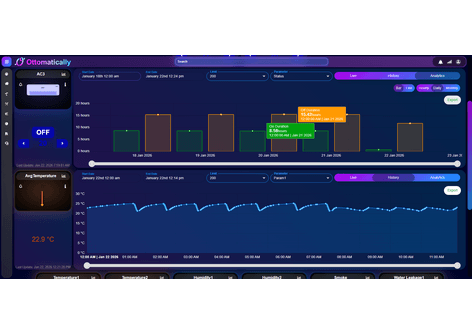
Data-center teams need continuous awareness of cooling and environmental conditions, but readings may be distributed across standalone devices and local panels. Without a shared view, operators can miss temperature or humidity changes, cooling-state anomalies, smoke or leakage events, stale device data, and patterns that develop between physical inspections.
Remote Operations
Data Center Monitoring
Monitor and control supported cooling equipment, track temperature, humidity, smoke and leakage, and automate operation using approved schedules and temperature rules.
Demo image
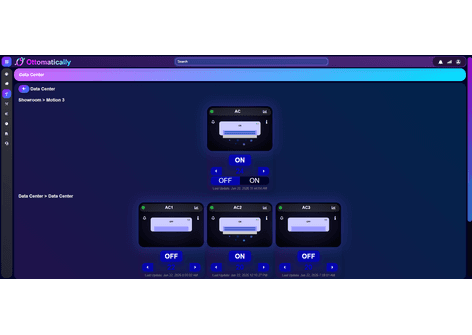
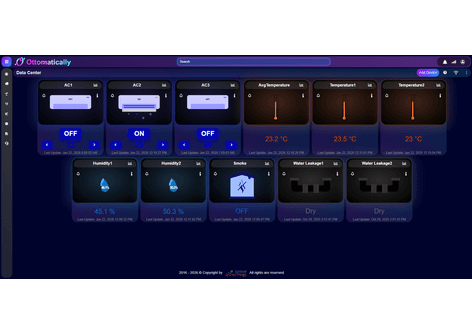
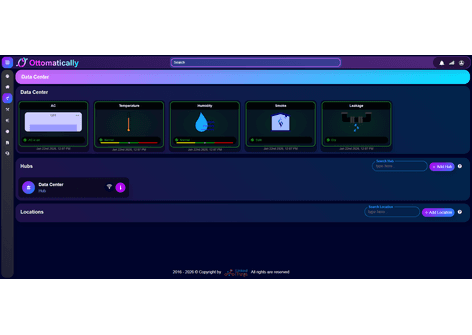
Data-center overview showing cooling, temperature, humidity, smoke, and water-leakage devices with hub and location management.The problem
The solution
Linked Things can organize supported air-conditioning units and environmental sensors by site, location, hub, and device. Operators can review live device cards, equipment hierarchy, ON/OFF state, temperature and humidity readings, smoke and water-leakage status, historical cooling cycles, average-temperature trends, and configured alerts from one monitoring interface. Where equipment integration and site policy allow, authorized users can control cooling units and apply approved operating schedules or temperature-based automation rules with manual override and safety constraints.
What it enables
Key capabilities
Data-center overview
View connected cooling, temperature, humidity, smoke, and leakage devices from one operational dashboard.
Location and equipment hierarchy
Organize data centers, rooms, locations, hubs, and individual devices in a clear parent-child view.
Cooling-unit monitoring
Review supported AC units, ON/OFF state, last update, operating history, and available control actions.
Scheduled cooling automation
Apply approved daily or weekly operating schedules to supported cooling units, with role-based access and manual override.
Temperature-based control
Use configured temperature thresholds and hysteresis rules to start, stop, or coordinate supported cooling equipment while avoiding rapid cycling.
Temperature visibility
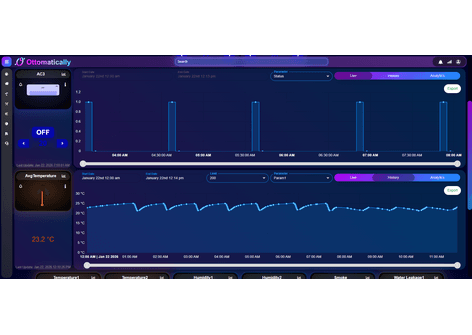
Compare individual and average temperature readings and inspect historical trends over a selected time range.
Humidity monitoring
Track available relative-humidity readings alongside temperature and cooling activity.
Smoke and leakage detection
Surface connected smoke-detector and water-leakage states for timely operational review.
Live and historical analytics
Switch between live, history, and analytics views to examine device cycles and changing environmental conditions.
Alerts and device health
Notify teams when configured thresholds, alarm states, connectivity issues, or stale readings require attention.
Measurement guide
Parameters explained
Available measurements depend on the connected station, installed sensors, calibration, and configured reporting standard. Units and alert thresholds should be confirmed for each deployment.
Temperature
°C
Ambient temperature measured by a connected room, rack-area, or equipment sensor.
Interpretation: Interpret readings against the site-approved operating range and sensor location. Averages can hide local hot spots, so review individual sensors as well as the mean.
Average Temperature
°C
A calculated mean from the selected temperature sensors or readings over the configured scope and period.
Interpretation: Useful for overall trends, but it should not replace review of maximum values, individual locations, sensor freshness, or persistent hot spots.
Relative Humidity
%RH
The amount of water vapor in the air relative to the maximum possible at the current temperature.
Interpretation: Review against the site-approved range. Sustained low or high humidity can warrant investigation, but interpretation depends on sensor placement and temperature.
Cooling / AC State
ON / OFF
The reported operating or command state of a connected air-conditioning unit.
Interpretation: Compare the state with room temperature, operating schedule, device connectivity, and feedback signals. A command state does not always confirm mechanical cooling output.
Cooling Runtime and Cycles
duration and count
Historical ON/OFF periods and switching events for connected cooling equipment.
Interpretation: Frequent short cycling or unexpectedly long operation may require review of load, setpoint, sensor placement, equipment condition, and control logic.
Automation Schedule
time and recurrence
An approved timetable that defines when supported cooling equipment should operate, such as daily, weekly, shift-based, or exception periods.
Interpretation: Schedules should follow occupancy, IT load, redundancy, maintenance, and resilience requirements. Authorized users should retain manual override and audit visibility.
Temperature Control Rule
°C threshold / setpoint
A configured rule that can request supported cooling equipment to start, stop, or change state when a selected temperature condition is met.
Interpretation: Use separate start and stop thresholds or a time delay to prevent rapid cycling. Automation must respect equipment limits, sensor quality, redundancy, and site fail-safe procedures.
Smoke Status
normal / alarm
The state reported by a connected smoke-detection device.
Interpretation: Treat an alarm according to the approved life-safety response procedure. The dashboard supports awareness and does not replace a certified fire-alarm system.
Water Leakage Status
dry / leak
The state reported by a connected point or cable water-leakage sensor.
Interpretation: A leak state requires prompt inspection under the site response procedure. Confirm sensor placement, cable condition, and whether the reading is current.
Device Connectivity and Data Freshness
status / timestamp
Connectivity, last-update time, and supported health indicators for each sensor, cooling unit, or hub.
Interpretation: An offline or stale device must not be treated as evidence of a normal condition. Restore communications or verify the equipment locally.
Threshold and Alarm State
status
A configured indication that a measurement or device state has crossed an operational rule.
Interpretation: Thresholds should follow the site design and response policy. Validate duration, severity, sensor quality, and related readings before assigning root cause.
Operational value
Expected outcomes
Continuous environmental awareness
Give facility and operations teams a shared view of current cooling and room conditions.
Earlier exception detection
Identify supported temperature, humidity, smoke, leakage, or cooling-state exceptions sooner.
Faster investigation
Use device hierarchy, timestamps, operating cycles, and historical trends to investigate abnormal conditions.
More focused maintenance
Prioritize inspection and service activity using current device state and recent telemetry evidence.
Consistent cooling operation
Use approved schedules and temperature rules to reduce reliance on repeated manual switching while retaining operator oversight.
Shape this use case around your operations
Linked Things can assess available devices, telemetry, workflows, and reporting needs before defining a deployment approach.
Talk to our team